
The GIF maker that hits your file size limit on the first try
Drop in an MP4, MOV, MKV or AVI clip, trim it, and pick a limit like Discord’s 10 MB. Simple GIF Maker finds the best-looking GIF that fits, tells you exactly what it traded, and never uploads your video anywhere.
- Windows 10 & 11
- Native Linux & SteamOS
- One-time purchase
- No watermark
- 100% offline

Upload, wait, download… “file too large”
Most GIF tools make you guess. You export, find out it’s 14 MB, lower something, and try again. Simple GIF Maker takes the guessing out.
The guessing game
It works backwards from the size
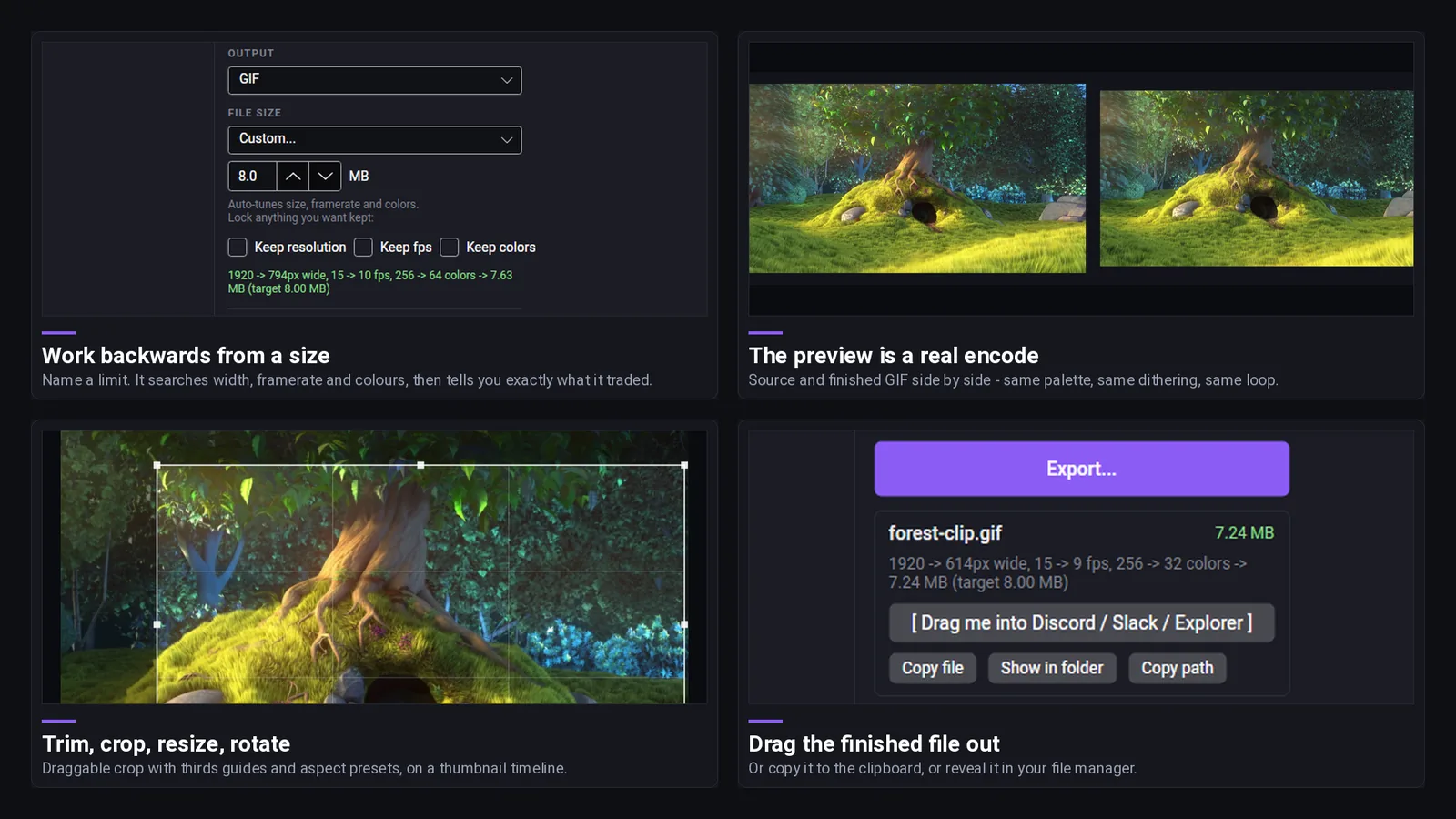
Tell it the limit. It encodes and measures real files while it searches width, framerate and colors, then hands you the best one under the limit.
The muddy result
Two-pass palettes, proper dithering
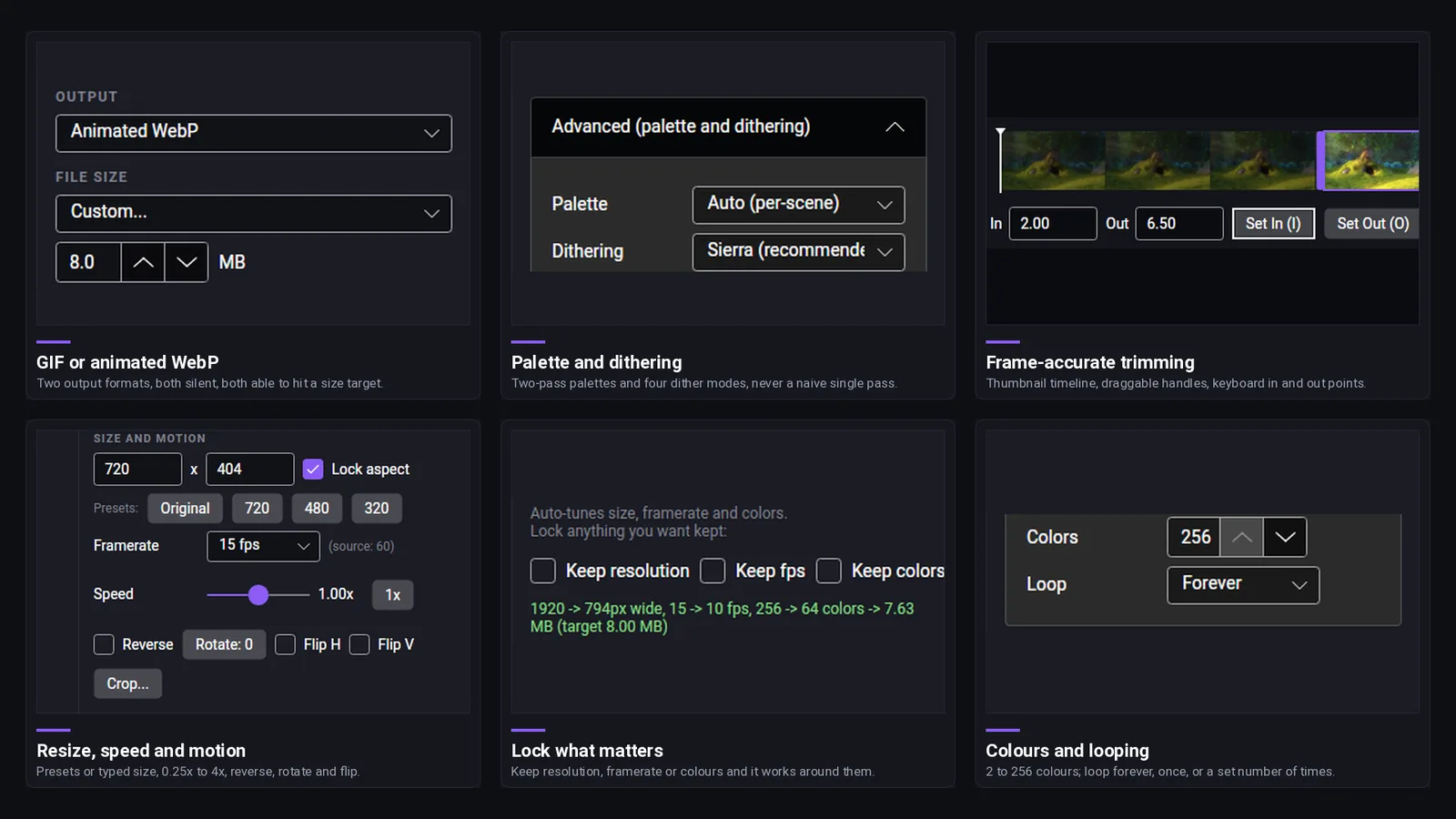
Every GIF gets a palette built from your actual footage, plus Sierra, Floyd–Steinberg or Bayer dithering. No single-pass banding.
The upload
Your video never leaves your PC
No website, no queue, no size cap, no ads, no account. Work recordings and unreleased footage stay on your machine.
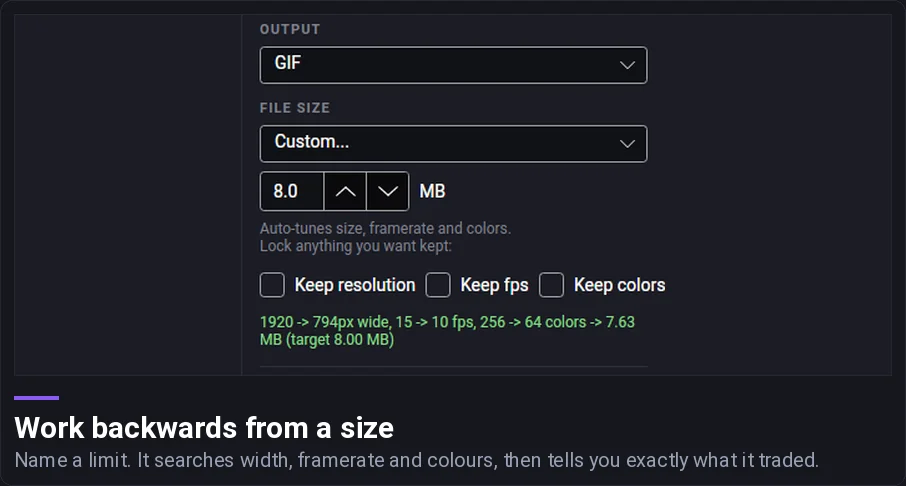
Name a limit. Get the best file that fits.
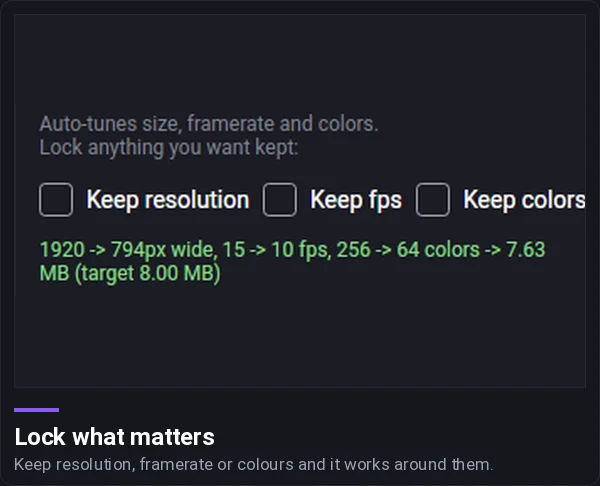
Choose a preset or type any size from 0.1 MB to 5000 MB. The app searches resolution, framerate and color count until the finished file fits, then shows you what it changed:
960 → 510px wide, 24 → 14 fps, 256 → 96 colors → 8.50 MB (target 10.0 MB)
Care more about smooth motion than size on screen? Tick Keep fps and it works around the settings that are left. It does the same for resolution and colors.
- Discord – 10 MB
- Discord Nitro – 500 MB
- GitHub – 10 MB
- Slack – 20 MB
- Twitter/X – 15 MB
- Custom
The number you see is the finished file measured on disk, not an estimate. If a clip can’t fit even at the lowest settings, the app says so and suggests trimming instead of handing you an oversized file. How to make a GIF under 10 MB for Discord →
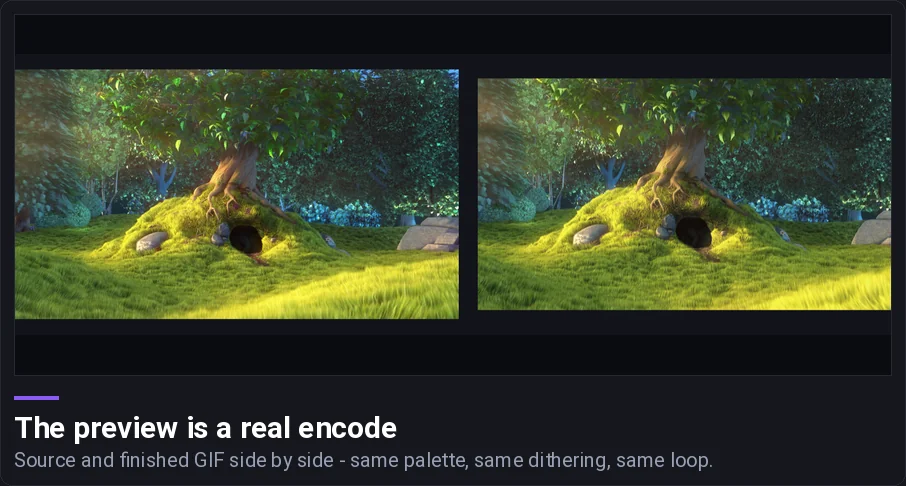
The preview is the GIF
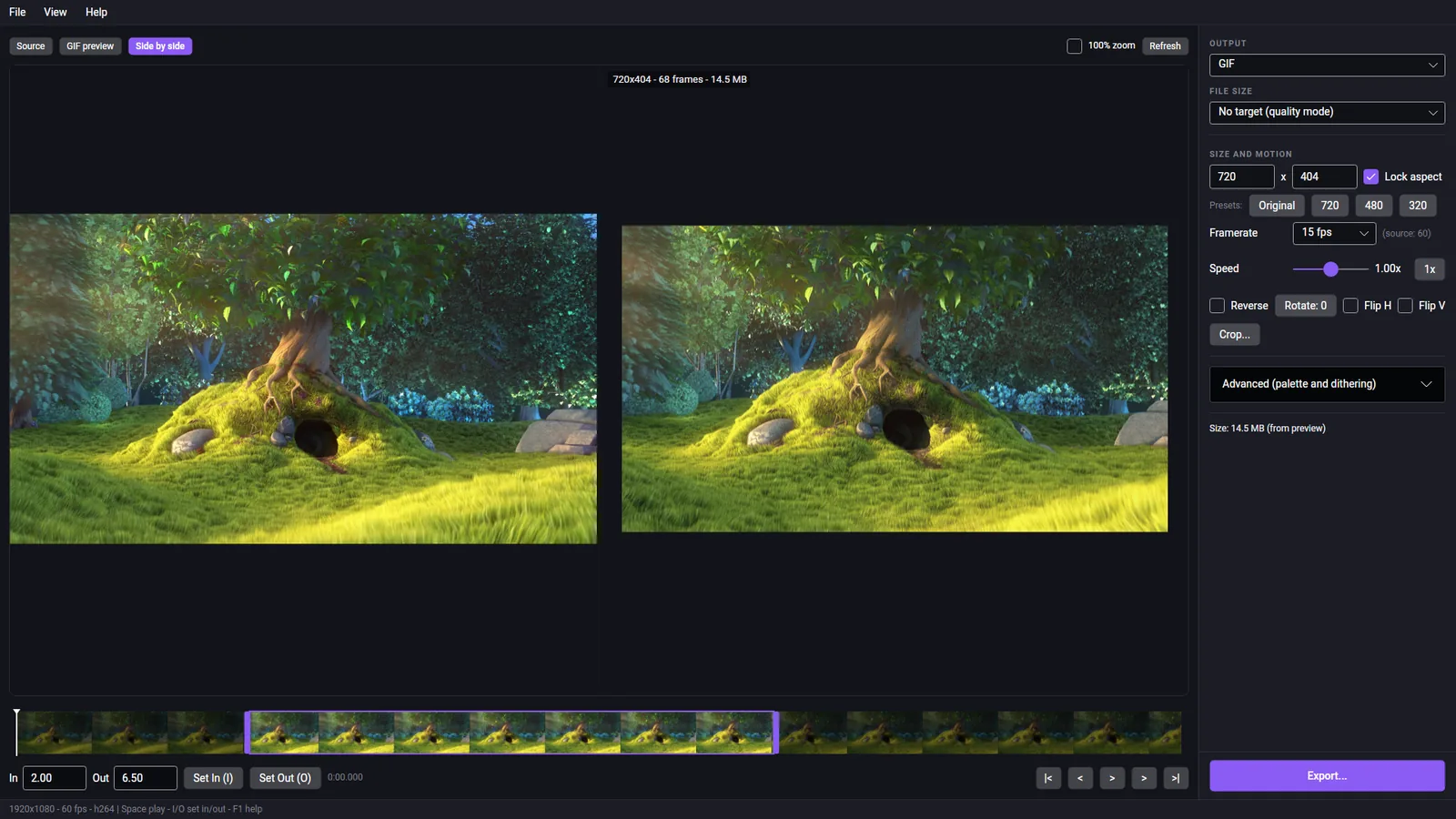
The preview pane doesn’t simulate anything. It encodes a real GIF at your current settings and plays it back with the same palette, dithering, timing and loop the exported file will have. No surprises after you hit Export.
- Side-by-side view of the source and the encoded result
- 100% zoom to check dithering at actual pixel size
- Updates as you change settings, or refresh it by hand
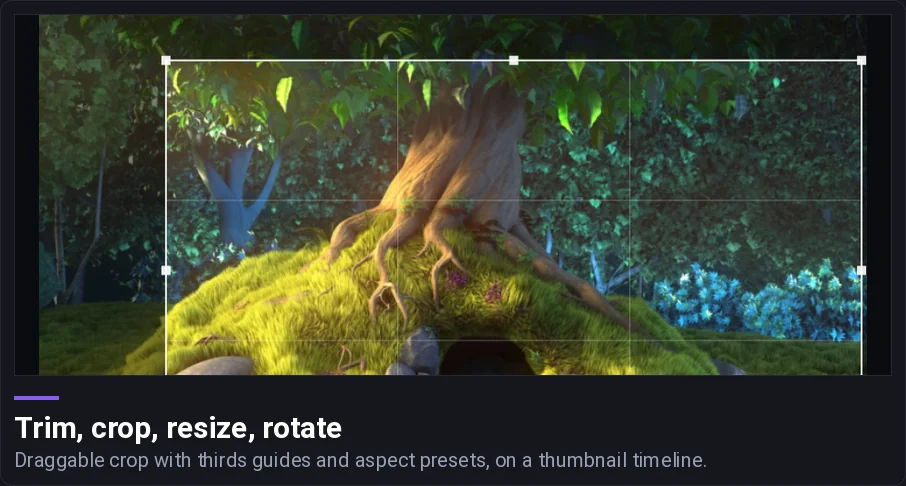
Trim, crop, resize, speed up
All the edits a GIF actually needs, and nothing that gets in the way.
- Trim on a thumbnail timeline with draggable in and out handles and frame stepping
- Crop with a draggable rectangle, thirds guides and free, 1:1, 16:9 or 4:3 presets
- Resize with presets or exact pixel dimensions
- Speed from 0.25× to 4×, reverse, rotate and flip
- Loop forever, once, or a set number of times
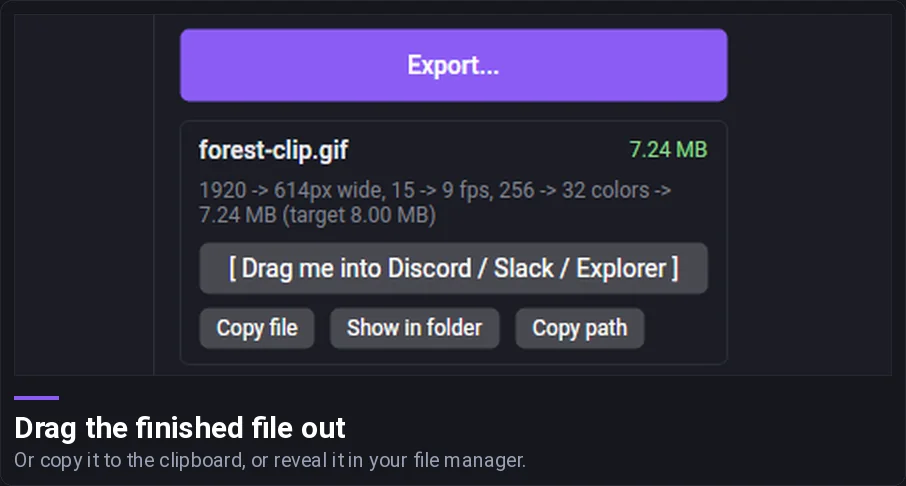
Drag it straight into Discord
Drag the finished file out of the export box and drop it into a chat, an email or a folder. You can also copy it to the clipboard as a file, show it in your file manager, or copy its path.
Drag-out works on Windows and Linux. Under Wayland on Linux, whether another app accepts the drop depends on your desktop; Copy file and Show in folder work either way.
Smooth gradients instead of banding
GIFs only have 256 colors per frame, so how those colors get chosen matters. Single-pass converters band and crawl. Simple GIF Maker builds a palette from your footage first, then dithers with it.
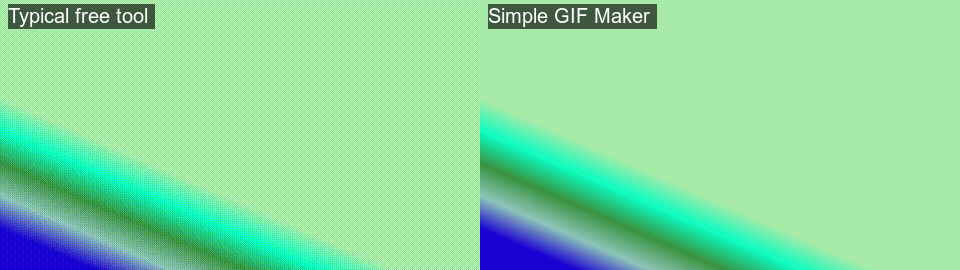
Palette per scene, per frame, or single
Automatic per-scene palettes by default. Use one shared palette for a smaller file, or one per frame for the best quality.
Four dithering modes
Sierra (the default), Floyd–Steinberg, Bayer with an adjustable pattern scale, or none for crisp flat UI.
2 to 256 colors
Set the color count yourself, or let a size target choose it for you.
Only changed pixels re-encoded
Each frame re-quantizes just the rectangle that changed, which keeps static backgrounds clean and files smaller.
Framerates up to 50 fps
8, 10, 12, 15, 18, 20, 24, 25, 30 or 50 fps. GIF stops at 50, because faster frame delays make browsers slow playback down.
Animated WebP too
Full color and much smaller files where WebP is supported, with a quality setting in place of the palette. GIF vs WebP →
Opens
Almost any video file
MP4, MOV, MKV, WebM, AVI, WMV, M4V, MPG and MPEG, decoded by a bundled build of FFmpeg. H.264, HEVC, AV1, VP8, VP9, ProRes, MJPEG and more. 4K, portrait, rotated, variable-framerate and anamorphic videos all come out the right shape. No codec pack needed.
It opens GIFs too, so you can shrink a GIF you already have.
Exports
GIF and animated WebP
Both formats can hit a size target. Neither format carries audio, so sound is dropped.
Popular conversions: MP4 to GIF, MOV to GIF, MKV to GIF, AVI to GIF, WebM to GIF, video to animated WebP, game clips to GIF.
No uploads. No account. No watermark.
Simple GIF Maker does all its work on your own computer. The app makes no network connections at all: no telemetry, no analytics, no crash reporting and no online activation. Your exported files are yours, with nothing stamped on them.
- Safe for work screen recordings and unreleased game footage
- No upload queue and no file size cap on what you open
- Works without an internet connection
- Preview files are cleaned up automatically
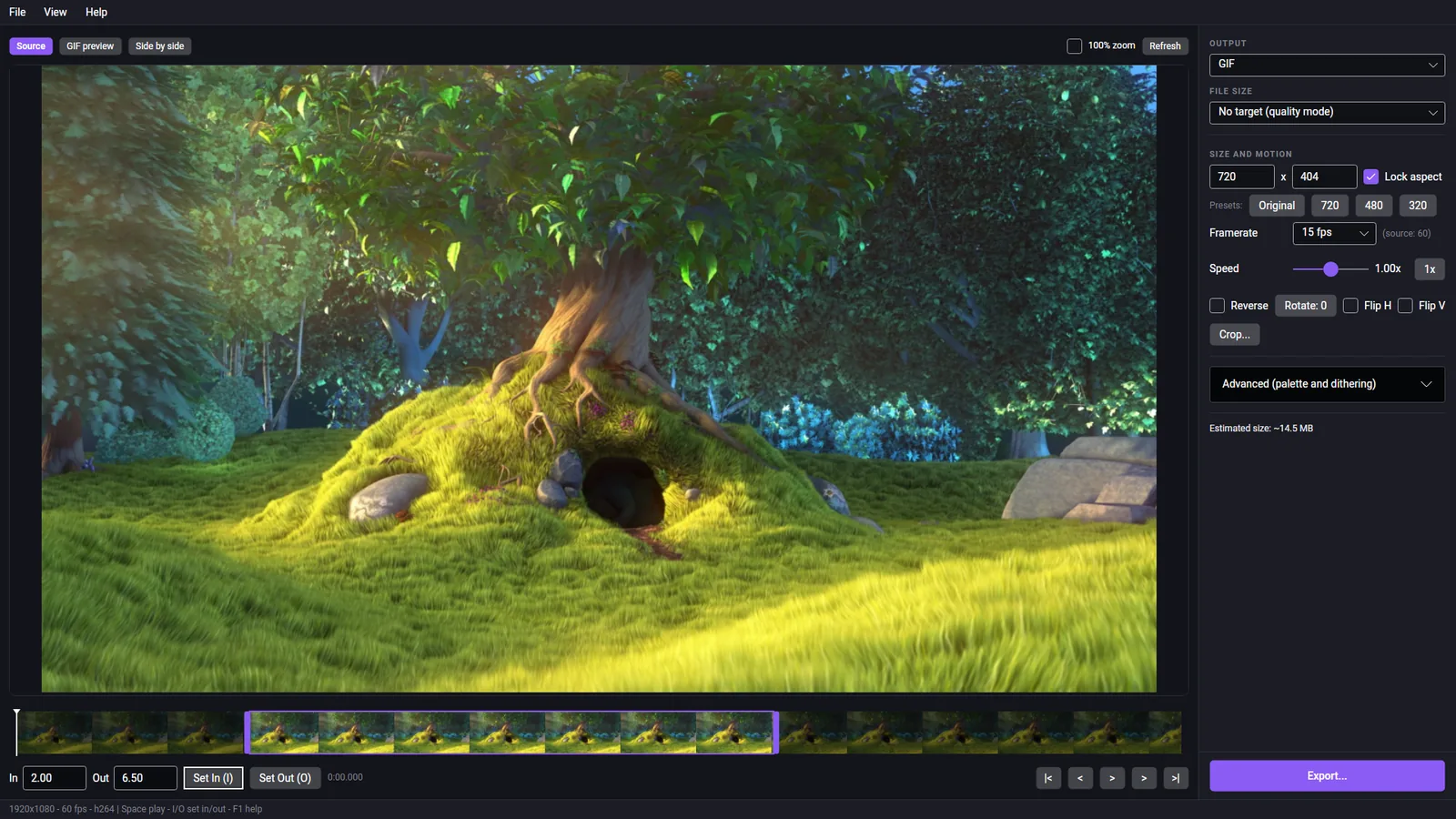
See it in action
A dark, focused editor: your clip in the middle, a timeline underneath, every setting on the right, and one Export button.
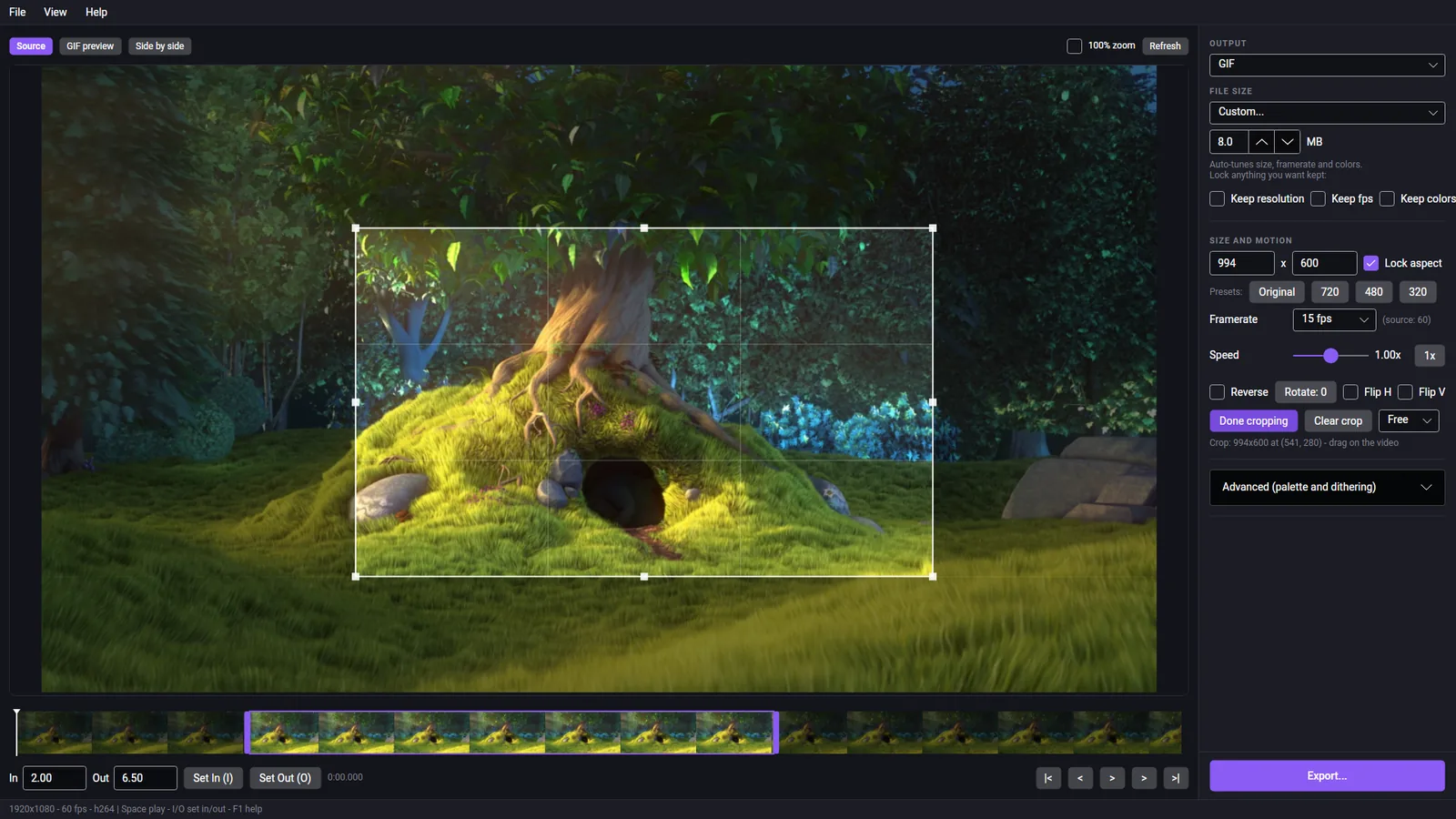
30-second trailer, no sound.
$4.99 one-time
No subscription, no in-app purchases, no account beyond Steam. Updates come through Steam automatically.
Buy on SteamWindows
Windows 10 or 11, 64-bit. 4 GB RAM, 350 MB disk. Nothing else to install: no runtime, no codec pack.
Linux & SteamOS
A native build for current 64-bit Linux, including SteamOS desktop mode. No Proton needed. 4 GB RAM, 360 MB disk.
Interface in English, German, Spanish, Brazilian Portuguese and Russian.
Questions people ask before buying
Is Simple GIF Maker free?
No. It costs $4.99 once on Steam. There's no subscription, no in-app purchase and no watermark to pay to remove.
Does it upload my videos anywhere?
No. All conversion happens on your own computer with a bundled copy of FFmpeg. The app makes no network connections, and it has no telemetry or analytics.
Which video formats can it convert to GIF?
MP4, MOV, MKV, WebM, AVI, WMV, M4V, MPG and MPEG. That covers H.264, HEVC (H.265), AV1, VP8, VP9, ProRes, MJPEG and older MPEG codecs. It also opens GIF files, so you can re-encode one at a smaller size.
Can it make a GIF under 10 MB for Discord?
Yes. That's what it's built for. Choose the "Discord - 10 MB" preset and the app adjusts resolution, framerate and colors until the finished file is under the limit, then tells you what it changed. Presets for Discord Nitro, GitHub, Slack and Twitter/X are included, and you can type any custom size.
Does it work on Linux and the Steam Deck?
Yes. There is a native Linux build, not a Windows build running in Proton, and it runs on SteamOS in desktop mode. It's a desktop app, so you'll want a mouse or trackpad and a keyboard rather than a controller.
Is there a Mac version?
Not at the moment. Simple GIF Maker is available for Windows 10/11 and Linux, including SteamOS.
Will my GIF have a watermark?
No. Nothing is added to your exported files.
Can I keep the sound?
No. Neither GIF nor animated WebP can hold audio, so sound is dropped. If you need sound, share the original video instead.
Can it convert several videos at once, or add text?
Not in version 1.0. It works on one file at a time, and it has no text, caption or sticker tools. Editing covers trim, crop, resize, speed, reverse, rotate and flip.
Can I make a GIF from a YouTube link?
No. Simple GIF Maker converts video files on your computer and doesn't download from websites. Clips from OBS, Steam, Xbox Game Bar, NVIDIA or AMD capture, phones and screen recorders are ordinary video files, so they open normally.
Should I export GIF or animated WebP?
GIF plays everywhere. Animated WebP is full color and usually much smaller, but not every app and site accepts it. In our test clip the WebP was about a ninth of the GIF's size. Read the comparison.
Conversion guides
Step-by-step help for the formats and limits people search for most.
- MP4 to GIF converterTurn phone clips, screen recordings and game captures into small, clean GIFs.
- MOV to GIF converteriPhone videos and Mac screen recordings, including HEVC and portrait clips.
- MKV to GIF converterOpen OBS recordings directly. No remuxing to MP4 first.
- AVI, WMV & MPG to GIFOlder formats like Xvid, DivX, MJPEG, WMV and MPEG-2, with no codec packs.
- WebM to GIF converterFor the apps, docs and forums that still won't play WebM.
- Video to animated WebPFull-color animations at a fraction of a GIF's size.
- Game clips to GIFFrom Steam, OBS, NVIDIA, AMD or Game Bar capture to a GIF that fits in Discord.
- GIFs under Discord's 10 MB limitFit any clip under the limit, plus animated emoji under 256 KB.
- Reduce GIF file sizeEvery lever explained, and how to shrink a GIF you already have.
- GIF vs animated WebPThe same clip in both formats: 1.57 MB vs 176 KB, and when to use each.
- GIF maker for Linux & SteamOSA native, self-contained build. No Wine, no Proton, nothing to install.
- Private, offline GIF makerWhy your video never needs to leave your PC to become a GIF.