
Where WebM files come from
WebM is an open video format built for the web. It holds VP8, VP9 or AV1 video. You’ll usually get one from:
- Browser-based screen recorders and extensions. Browsers’ built-in recording usually produces WebM.
- Saved web video. Many sites serve clips as WebM.
- Screen capture tools that default to WebM to keep files small.
Simple GIF Maker decodes all three codecs, VP8, VP9 and AV1, with its bundled FFmpeg.
WebM or WebP? The names are one letter apart, but they’re different things. WebM is a video format. WebP is an image format that can also be animated, like a GIF. Simple GIF Maker opens WebM and can export animated WebP.
How to convert WebM to GIF
- Open the WebM. Drag it onto the Simple GIF Maker window.
- Trim and crop. Screen recordings often have a few seconds of setup at the start. Trim it off, and crop to the part of the screen that matters.
- Pick the output. Choose GIF for the widest support, or Animated WebP if where you’re posting accepts it.
- Set a size target. Choose a preset or type a custom size. The app finds the best settings that fit.
- Export with Ctrl+E and drag the result where it needs to go.
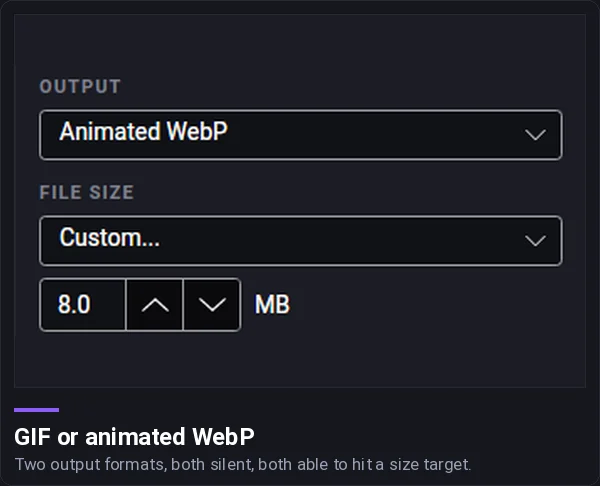
GIF or animated WebP?
If the destination accepts WebP images, animated WebP is usually the better choice. It’s full color, and in our test it came out about a ninth of the size of the same clip as a GIF. Use GIF when you need it to work everywhere: older apps, many documentation and ticketing tools, and email. See the full comparison.
Frequently asked questions
Why convert WebM to GIF at all?
Because a lot of software still doesn’t display WebM inline: many chat apps, wikis, issue trackers, forums and email clients. GIF has worked everywhere for decades.
Does it support VP9 and AV1 WebM files?
Yes. VP8, VP9 and AV1 all decode with the bundled FFmpeg.
Can I convert WebM to animated WebP instead?
Yes. Set the output to Animated WebP. You get full color and a much smaller file, and size targets work the same way, adjusting quality instead of a color palette.
Will the GIF keep the WebM's audio?
No. GIF and animated WebP can’t carry sound.